Accepting an invite to set up a team
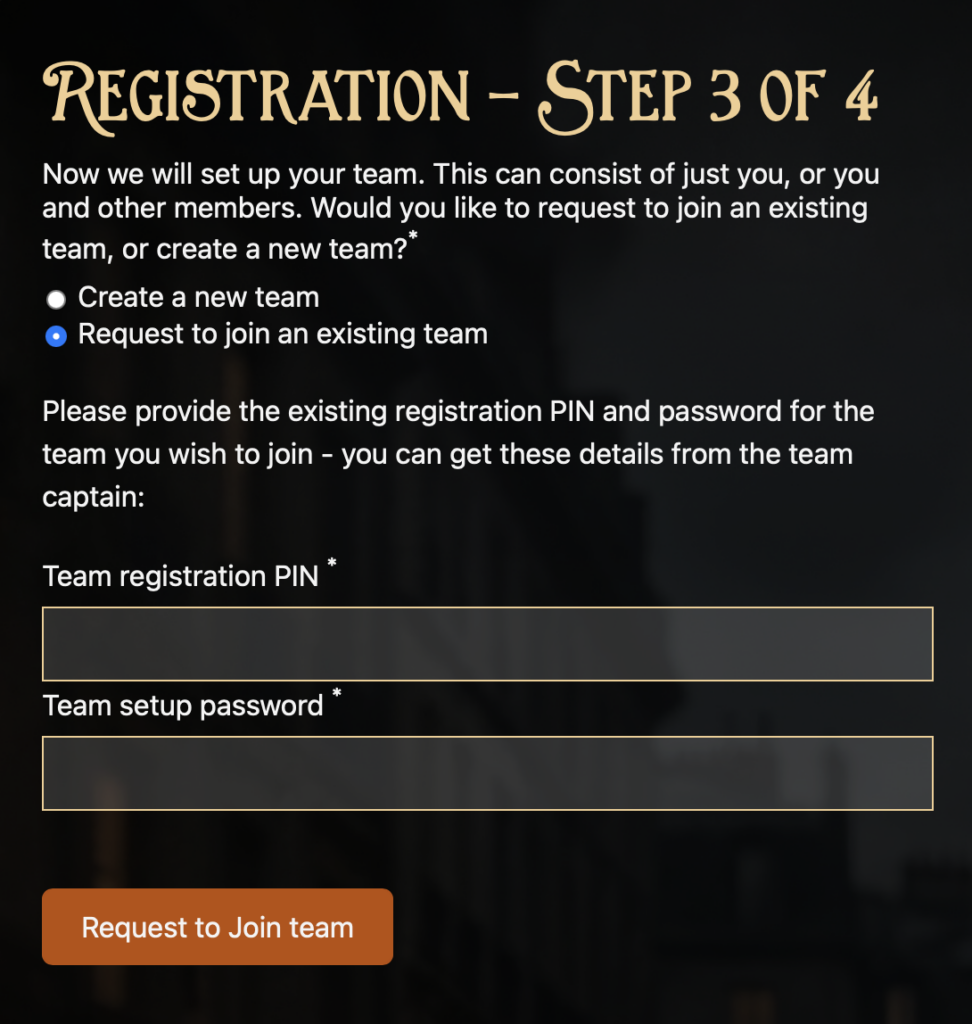
In step 3 If you choose instead to join an existing team, rather than set up a new one then you will need the PIN number and password for the team. You can ask your teacher (if they set up the team) or the team captain for this information and enter it here.
If you are the first person to register a team with a PIN and password provided by a teacher then once you have registered you will be the team captain and can invite others to join. They will follow the same process using the PIN and password and as the team captain you will receive a request for them to join , You can approve that request from your account. If you don’t do that then your friend will have to sign in and set up their own team from their account page.
If you are the captain then it is your job to submit the answers each week. If you would prefer for someone else to do that then you can invite them to sign up to your team using the PIN and Password, and then delegate the captaincy to them from your account page.
If you are the team captain then you will be able to see the team PIN and Password on the team tab in your account page. You can share that with anyone you would like to have join your team.
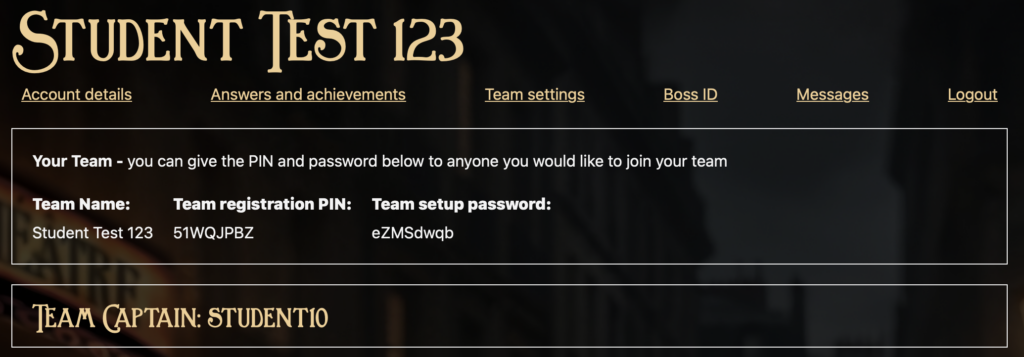
If a friend has already setup a team and has invited you to join them then you should follow the same process as above, asking them for the PIN and password that they will find on the Team Settings tab in their account page.