While the system is designed to allow pupils to register without their school we try to make it as easy as we can for teachers to manage registration and to monitor teams from their school. The first thing to note is that it is not compulsory to use the teacher registration system. Pupils can register on their own, set up their own team and take part, and no-one else has to be involved. Once a team is monitored by you, you can see their competition entries, print their certificates and manage the team from within your account.
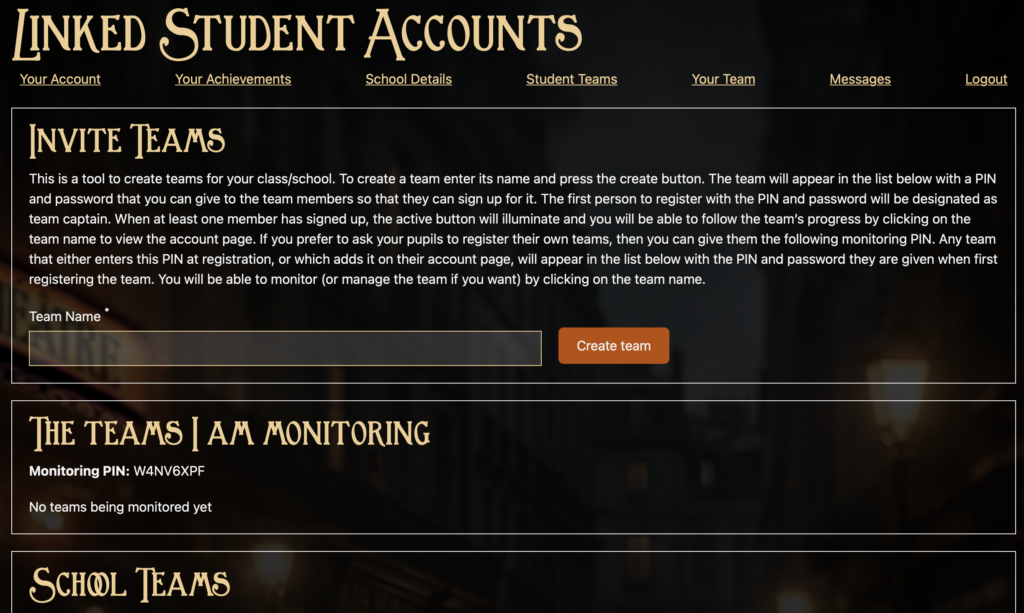
The first step is to register a teacher account after which you can start to register and/or monitor teams at your school as follows.
- USING THE BULK REGISTRATION TOOL: you can set up one or more teams under your supervision. For each team we will provide you with a PIN and password that you can give to the team captain. They will still need to register for an account on the site but when they do that they can use the PIN and password provided by you to join the team you have set up for them. You will be able to see whether or not they have done that from the Student Teams tab in your account area.
- USING YOUR MONITORING PIN: alternatively, the pupils can setup their own teams when registering and add you as a team monitor by entering your Monitoring PIN into the team page on the Team Captain’s account area. You won’t know the team has been setup until they do that, but when they do it too will appear under the Student Teams tab in your teacher account area. Team captains who set up a team before they knew your monitoring PIN can still add it later to give you access.
- LIGHTWEIGHT MONITORING: There will also be a list on the “Student Teams” tab on your account page showing the teams registered at your school that are not yet being fully monitored by you. This won’t give you access to their submissions or scores, but will give you an idea how many teams are taking part and allow you to try to track them down to give them the monitoring PIN and get more access.
We hope this is helpful, you can read more about how it all works on our How to pages.